

Most conversations that matter still happen out loud. A client walkthrough, a hallway decision, a two-hour interview, a lecture hall full of competing voices. People record them, and then the recordings sit. Turning talk into text, text into a summary, and a summary into something actionable usually falls to whoever has the least patience that evening.
An AI summarizer only pays off when the whole chain holds, from the microphone to the final action item. This hub lays out that chain for the Comu Action Pro: capture hardware, live transcription in 113 languages, speaker attribution, structured summaries, generated work outputs, and the quota and subscription boundaries that govern the AI layer. Each section links to a deeper guide on the question you came with.
The Feature Matrix at a Glance
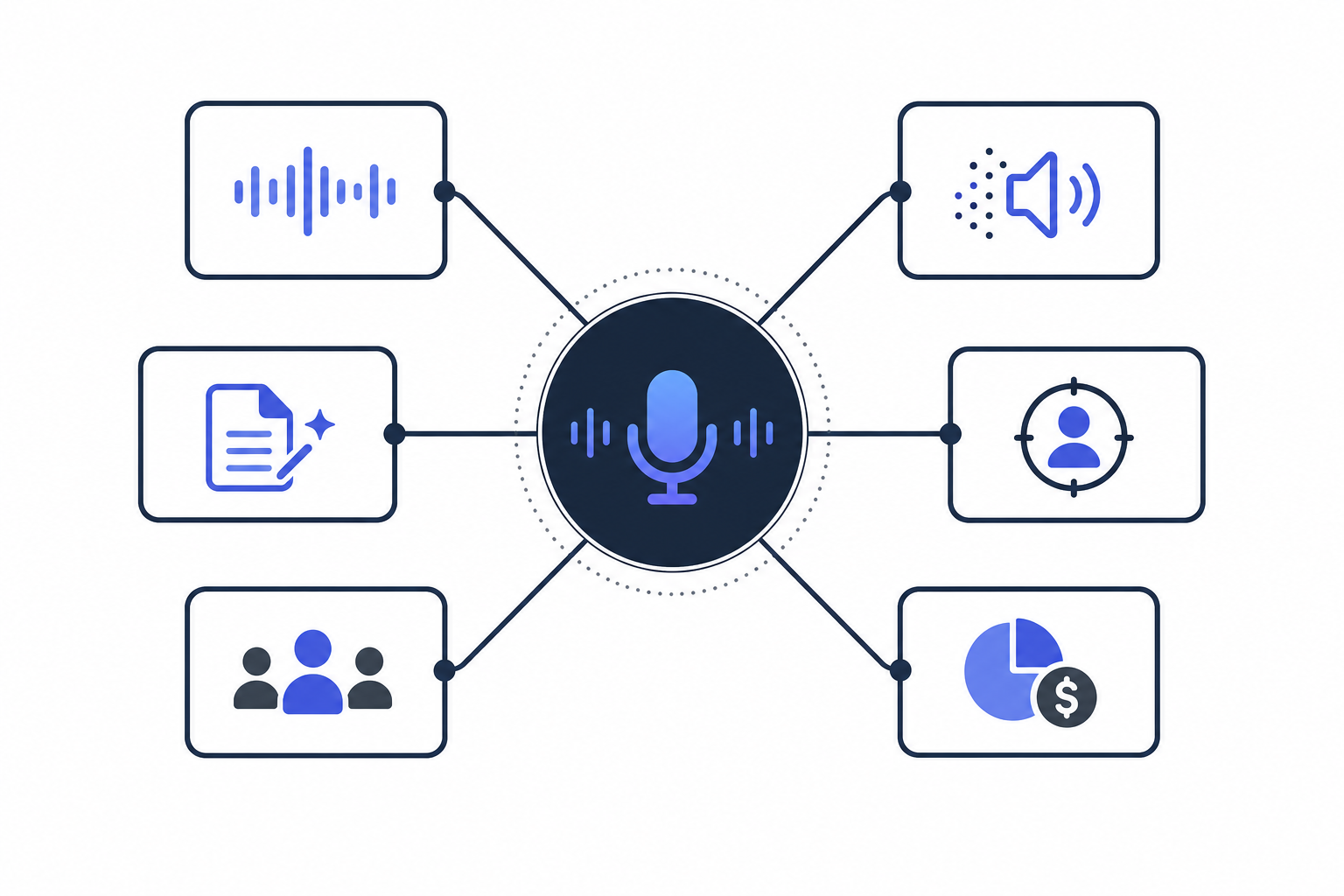
This hub exists to answer one practical question: what can this device actually do for the conversations you record? The matrix below maps every user-facing capability to the job it performs and the check you should run before trusting it. Each row points to the section, and the linked guide, that goes deep on that one capability.
Comu's own reviewer guidance asks one core question: "Can Comu capture and understand a real conversation, then reduce the work that follows?" It also warns against grading features in isolation: "Rather than focusing only on recording quality or summaries, we encourage reviewers to evaluate how Comu improves real work."
That is the standard this matrix follows.
| Capability | What it does for your work | Acceptance check | Deep dive |
|---|---|---|---|
| Live transcription, 113 languages | Text appears while the conversation is still running | Names, numbers, and dates survive the transfer | Section 2 |
| Playback-synced transcript | Highlights track the audio as it replays, so you can jump to any decision point | Transcript and audio stay aligned end to end | Section 2 |
| Structured summaries | Key points, notes, decisions, and follow-ups come back separated, not as a wall of text | Facts, opinions, decisions, and tasks land in the right buckets | Section 3 |
| Generated work outputs | Follow-up emails, action lists, slide drafts, and CRM notes drafted from the conversation | Every claim in the output traces back to something actually said | Section 3 |
| Speaker separation | Attribution answers who said what, which raw dictation cannot | Multi-speaker passages keep their ownership through crosstalk | Section 4 |
| Quota and tier boundaries | You know in advance which AI depth needs which tier | Tier mechanics checked against the official page on your read date | Section 7 |
Five Dimensions to Evaluate Any AI Transcription Device
The reviewer framework doubles as a shopping checklist for any device in this category, with five dimensions and the acceptance bar Comu itself publishes.
- Recording quality. "Clear, complete and stable audio" through the whole session.
- Transcription accuracy. "Text remains faithful to the recording," including names, figures, and dates.
- AI understanding. "Facts, opinions, decisions and tasks are separated correctly."
- Work-output quality. The email, deck, or action list that comes out is usable as a draft you would edit.
- Efficiency gain. "How much review time does the workflow save?"
The guide also walks nine steps end to end: record a real conversation, watch the transcription sync, check speaker names, dates, and numbers, generate the summary, extract action items, draft the follow-up email, generate the presentation draft, edit and regenerate, then search and reuse the archive.
Weight the dimensions by your calendar: phone-heavy weeks favor recording quality, weekly meetings live or die by action-item extraction, interviews turn on attribution and language coverage.
Capture Better: The Hardware Baseline
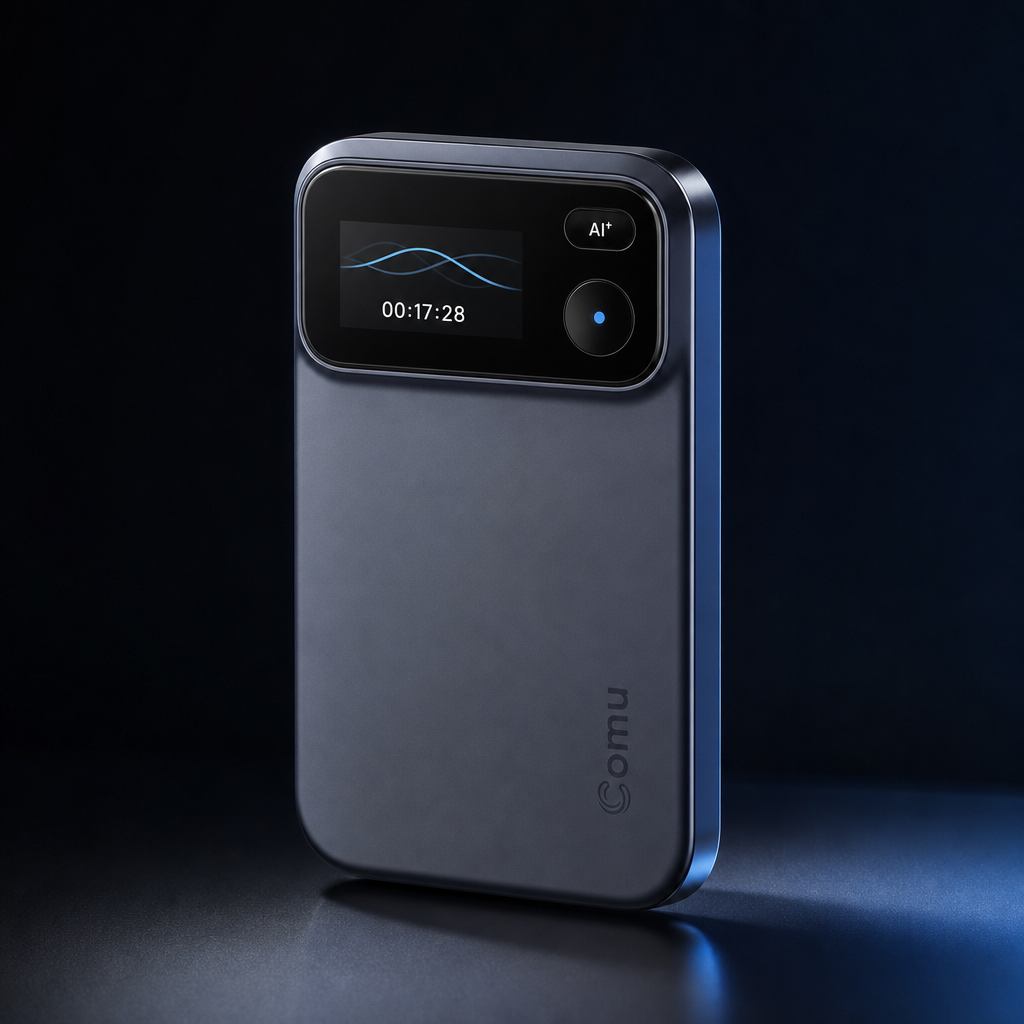
Every capability above rests on one physical fact. The Comu Action Pro carries a six-microphone self-adaptation array, which the official documentation describes as improving sound capture in multi-person exchange and complex environments. AI noise reduction works beside it, cutting background noise so the transcription model receives cleaner input. Both matter most exactly where phone microphones struggle, in the busy offices, cafés, and airports named in the official materials.
The endurance numbers come from the same specification sheet. Up to 70 hours of continuous recording, sized for extended meetings, interviews, business trips, and conferences. Pickup reaches up to 7 meters for wider rooms. An OLED display shows status at a glance, a recording key starts capture without menus, a separate AI key triggers the intelligence layer, and the device charges over USB-C and mounts magnetically.
Transcription quality has a ceiling, and the ceiling is set at capture. Six microphones and noise reduction do not quiet a noisy room; they give the AI layer its best possible raw material.
Real-Time Transcription and Multilingual Support
Transcription is the load-bearing wall of the workflow, so this section covers what the live pipeline delivers and how to pressure-test it. Speech becomes text while the conversation runs, highlights sync during playback, translation runs in two steps, and 113 languages carry the official count.
The official language figure for the Comu Action Pro is 113 languages for transcription, and coverage is where any AI summarizer evaluation starts, because breadth decides whether the tool fits your calendar or only monolingual meetings. Speech converts into text instantly while recording, so a readable draft exists before the meeting ends, and the transcript highlights along with playback on replay, turning the hunt for who said the budget line into a quick jump. Translation is two steps: choose the language, then view the translated conversation.
113 Languages, Live Text, and Playback Highlighting
A supplier call in Mandarin, an interview switching between English and Spanish, a session in Japanese. Coverage reads like a statistic until the week it saves you.
The reviewer guide's four transcription-quality dimensions work as your personal test script.
- Proper nouns and terminology. Company names, product codes, and job titles survive intact.
- Numbers and dates. Figures, currencies, and deadlines arrive correct, the details minutes are built on.
- Playback alignment. Text and audio stay in lockstep from first minute to last.
- Accents and mixed-language speech. The transcript holds up through mid-sentence language switches and strong accents.
From Audio and Video Files to Meeting Transcripts
Plenty of workflows start from a file, not a live session: last week's meeting MP3, the MP4 of a webinar nobody attended live, a podcast episode that needs a quotable transcript. The Comu Action Pro recorder holds long sessions of this kind, and the transcription engine above processes what it captures. For files that already exist outside the device, MP4 video files are supported for upload with a maximum size of 500MB per file, and the full format list and upload workflow are on the official product page. What this hub can do is route you to the right guide.
- Weekly meetings that need to become minutes automatically? See transcribing weekly meeting MP3s.
- Long video calls recorded as MP4? Start with transcribing long-meeting videos and audio files.
- Comparing platforms for meeting transcription on a budget? The free meeting transcription platform guide walks the honest-limitations route.
- Podcast episodes that need a transcript without a recurring fee? See podcast transcripts without a subscription.
- Building the habit from scratch, phone in hand? The voice to text workflow guide covers all three routes to clean text.
AI Summaries and Work Outputs
A transcript is raw material. This section covers what the AI layer builds from it: the three-stage official pipeline, the five elements of a structured summary, and the generated outputs from follow-up emails to slide drafts. The boundaries subsection states how much editing the outputs still need.
Comu describes its pipeline in three stages. Capture Better: better input, the hardware layer above. Understand Better: the system reads for key points, decisions, tasks, and context rather than converting speech to text and stopping. Deliver Better: outputs go beyond summary into work products. The reviewer guide compresses the idea into four verbs, Record, Understand, Act, Refine.
Structured Notes: Five Elements That Matter
The summary layer returns conversations organized around what the news release calls "organized summaries that highlight the information people actually need." Five element types do the separating.
- Key points, the substance of the discussion
- Meeting notes, the narrative scaffold around those points
- Action items, who owns what next step
- Decisions, what was actually settled
- Follow-ups, what stays open and with whom
After processing, the system applies colored tags and smart categorization, and history becomes searchable. That layer matters more over time, when retrieving the decision someone half-remembers from a March call beats a fresh summary.
From Dialogue to Action: Slides, Emails, Action Items, CRM
The generation layer is where a recorder stops being a recorder. The official materials name four kinds of generated output.
- Follow-up emails, organized into six components: recipient, subject, summary, decisions, action items, and deadlines
- Action lists, with owners, decisions, deadlines, and next steps identified automatically
- Presentation drafts, with proposed structure, generated outline, refined wording, and slides redirectable with instructions like "Make this presentation more professional."
- Pre-meeting briefs and CRM notes, the latter built for client-facing roles: requirements, risks, and follow-up commitments dropped where a sales workflow can use them
Four typical uses come from Comu's materials: a client meeting that becomes requirements plus a next-step email, an interview that becomes a content framework, a meeting that becomes an action list, a brainstorm that becomes an execution plan. For the recurring version of the third, the weekly meeting action items guide covers the workflow in depth.
Can AI Output Be Used Directly? Honest Boundaries
No, and Comu says so itself, in writing. The official disclaimer reads: "Comu Action Pro uses AI technology to process conversations and generate summaries, emails, presentations, and other content. AI-generated results are intended to assist users and may require user review and adjustment before final use."
That sentence sets the working arrangement. You get a draft machine; you stay the editor. The reviewer guide supplies the acceptance test for a good summary: separate topics from background, confirm facts, surface disagreements, record final decisions, name task owners and deadlines, flag risks and open questions. It also names the failure to watch for: "Suggestions incorrectly written as decisions, or discussions presented as commitments." That line is the exact error mode of every meeting summarizer on the market.
For generated slides, the official criteria run four deep: fidelity, narrative coherence, restraint, graded by the question "Did Comu avoid inventing facts or commitments?", and editability. The guide also asks reviewers to track the minutes required to make the first draft presentation-ready, and that number from your own meetings is the honest measure of the whole AI layer.
Speaker Identification and Attribution
A transcript without attribution is half a record. This section covers speaker separation as an official capability and test dimension, what hardware contributes in crowded rooms, and a self-test protocol for overlapping speech and accents. One boundary stated up front: Comu publishes no separation-accuracy percentage, so none appears here.
Raw dictation answers what was said. Attribution answers who said it, and where accountability matters that is the difference between a transcript and evidence. The official reviewer guide confirms speaker separation as a tested capability dimension: whether different speakers can be reliably distinguished and their statements correctly assigned.
Speaker Separation as an Official Test Dimension
The reviewer guide groups speaker separation with the four other core transcription checks from Section 2: proper nouns, numbers and dates, playback alignment, and accents with mixed-language speech. Attribution is graded with the same seriousness as factual accuracy, because a misattributed decision is as damaging as a misheard number. If your conversations involve multiple parties, disagreement, or sign-off, weight this dimension heavily in any evaluation.
Overlapping Speech, Accents, and Self-Testing
Crosstalk is where separation systems earn or lose their keep. Comu names speaker separation as a capability and test dimension but publishes no accuracy percentage for overlapping speech, so this hub quotes no number, and any percentage seen elsewhere deserves suspicion unless Comu stated it.
Test the worst case yourself, from the early steps of the official nine-step review: record a multi-person conversation with a stretch of crosstalk, then check speaker ownership line by line along with dates and numbers. The hardware helps, with adaptive arrays and pickup out to 7 meters built for rooms where people spread out. Your own crosstalk recording, in your own conference room, is the only benchmark that predicts your experience.
Recording in Noisy Rooms and on Phone Calls
This section makes the dedicated-hardware argument in full, using Comu's own published reasoning: high-value conversations still happen in person, phone apps carry three structural problems, and a single-purpose recorder removes them. The boundary statement is included verbatim, because the company's positioning deserves quoting exactly.
The official argument starts from where conversations happen. A growing share of AI tooling serves online meetings, yet a large share of high-value communication still occurs face to face: client visits, trade shows, negotiations, interviews, and ad-hoc discussions that turn into decisions. Phone recording apps meet that reality with three structural problems; Comu's wording on the middle one deserves the direct quote: "Phone recordings can be interrupted by incoming calls and notifications, while built-in microphones often prioritize whichever voice is closest rather than capturing an entire discussion consistently. Dedicated hardware removes those distractions."
The full positioning, also official: "Comu Action Pro is always ready to record, designed specifically for face-to-face conversations, and optimized for spoken communication rather than general multimedia use."
Why Phone Recording Fails: The Dedicated-Hardware Argument
Walk the three flaws in order. Operation: starting a recording app mid-conversation is fumbling at the moment you should be listening. Interruption: an incoming call or notification can stop the capture outright. Capture physics: a phone microphone is engineered for one near, clear voice, favoring whichever speaker is closest while the far side of the table fades.
A single-purpose recorder answers all three. Comu Action Pro is always ready, one key from recording, nothing calls it, and its microphone array listens to the room rather than the nearest mouth. Its scope is honest in the company's own words: "It's not designed to replace your phone. It's designed to do one job exceptionally well."
If your recording volume is light and conversations happen at arm's length, a phone can carry the load; the free phone recording app guide covers that route honestly. The case for dedicated hardware begins where distance, noise, duration, or interruption risk do.
The Noisy-Environment Playbook: Minutes That Hold Up
The specifications name the hard environments directly: busy offices, cafés, airports, and other challenging environments. The six-microphone adaptive array exists for multi-person exchange inside them, and AI noise reduction feeds the transcription layer cleaner input. Pickup reaches 7 meters, covering a real conference table rather than a speaker's elbow.
Hardware opens the door; the minutes workflow walks through it. In a noisy session, the playback-synced transcript is your reconstruction tool. Replay, follow the highlighting, and rebuild the record against the five summary elements, from key points to follow-ups. For the full routine, the meeting minutes template for noisy environments breaks it into a repeatable checklist, and the free voice recorder tools comparison covers what to use when budget comes first.
Who It's For: Role-Based Scenarios
Comu names its audience precisely: knowledge workers whose weeks are dense with meetings and live conversations. This section maps the named roles to the outputs each one consumes, from CRM notes for sales to 70-hour endurance for field interviews, with the security posture in the company's own measured wording.
The official audience covers sales professionals, consultants, executives, product and project teams, journalists and researchers, teachers and students, plus anyone who needs offline meetings, phone calls, interviews, and multilingual transcription handled. The category positioning reads AI note-taking hardware, AI voice recorder, AI meeting assistant, and agentic productivity hardware.
Client-Facing Sales and Consultants
For roles paid to be in the conversation, not taking notes, the relevant outputs are the CRM note and the follow-up email. After a client call, the workflow Comu describes runs automatically: requirements captured, next steps extracted, a follow-up email drafted with its six components in place. The consultant version of the same benefit is completeness, because the commitment made in passing at the end of a long call is the one human notes lose and the one a full recording keeps.
Lawyers and Compliance-Sensitive Calls
Legal work sits in the official scenario list, which names phone calls and interviews directly. Security posture, in the official wording: "Its security program aligns with widely recognized standards and frameworks, including GDPR, HIPAA, and SOC 2." Note the verb: the claim is alignment, and this hub repeats it no more strongly. The category framing sentence runs: "For businesses handling confidential conversations every day, security isn't an additional feature. It's a fundamental requirement."
Practice-side guidance is industry common sense rather than Comu documentation: consent and recording rules differ by jurisdiction and call type, so confirm the rules that apply to your matters before recording where they bind you. For tooling, the free call recorder guide for lawyers covers the options and their honest limits.
Executives, Lectures, and Interviews
Three scenarios share one backbone. The official high-value conversation list, client visits through impromptu discussions, is essentially an executive calendar. Endurance of up to 70 hours handles the conference circuit without a charging brick, and 113 language coverage handles the international version. For lecture halls, pickup range and noise reduction carry a large room. For interviews, the named use case is the researcher's: the recorded interview that becomes an organized content framework instead of a tape archive. Two deeper guides sit adjacent, on call recording software for executives and meeting recording apps for lectures.
Transcription Quotas and Subscription Costs
The AI depth layer runs on subscriptions, and this section states the current structure with sources attached. The free Starter plan covers unlimited real-time AI transcription and basic summaries, Premium and Elite are optional upgrades whose current prices display in the Comu app, and hardware pricing follows the live store page in each market. Comu updates prices and promotions frequently, so this hub quotes no figures and points to the official pages as the live sources.
The current subscription system, as stated by Comu, runs on three plans, Starter, Premium, and Elite. Starter is free and includes unlimited real-time AI transcription, basic summaries, and a limited monthly allowance for selected AI features. Premium and Elite provide more Agent Credits and higher usage limits for advanced workflows. Volatile facts belong to their source, so the table below prints structure rather than figures and points to the live pages.
| Plan | Price | Agent Credits | Included depth | How to get it |
|---|---|---|---|---|
| Starter | Free | Baseline allowance | Unlimited real-time AI transcription and basic summaries | Included after device purchase |
| Premium | Optional subscription, current price in the Comu app | Higher allowance | More Agent Credits and advanced AI workflows | Download the Comu app and subscribe in-app |
| Elite | Optional subscription, current price in the Comu app | 40,000 per month | Unlimited AI transcription, translation, and in-depth analysis; five model bases including ChatGPT, Claude, Gemini, Whisper, and Azure; speaker identification; 113 languages | Same route |
| Device | One-time purchase, current price on the official store page | Not applicable | On-device recording and live transcription | Included with purchase |
Plan structure per Comu's stated system. Prices and tier mechanics are policy-volatile: treat the official store page and the Comu app as the live sources, this table as the structure snapshot.
Subscription Plans: What Costs What
The Elite row carries numbers because Comu publishes them: 40,000 Agent Credits monthly, unlimited AI transcription, translation, and in-depth analysis, a five-model base layer, speaker identification, 113-language coverage, and access via the Comu app, download and subscribe in-app. Premium adds more Agent Credits and advanced AI workflows, while the free Starter plan covers unlimited real-time AI transcription and basic summaries. Subscription pages change, and a feature hub that hard-codes every volatile figure becomes wrong quietly. The store page carries the live answer, and the subscription cost and free-tier boundaries guide walks the full decision math.
Is Transcription Unlimited? the practical answer
Two different questions get asked as one. Language count is a coverage figure, fixed and published at 113. Quota is a volume question, plan-dependent. The Starter plan includes unlimited real-time AI transcription and basic summaries, and Elite includes unlimited AI transcription, translation, and in-depth analysis, per the plan benefits Comu states, verified October 10, 2026. For the quota structure of Premium, the official store page holds the current answer, the only source that stays correct as policies move.
What Stops When the Subscription Stops, and Where to Buy
Paid subscriptions increase the available Agent Credits and usage limits for advanced AI workflows. If a paid subscription ends, the device continues to record, and the account returns to the features and allowances included in the free Starter plan. For exactly which capabilities pause when a paid plan lapses, the Comu App holds the current terms, so this hub prints no itemized list that could drift from it.
Hardware pricing follows a simple rule: the Action Pro is a one-time purchase, and local prices vary by market, tax treatment, promotion, and sales channel, so the current selling price is governed by the live display on the appropriate regional Comu store. This hub quotes no price figures for exactly that reason. Purchase routes: the official store, Amazon US, and Amazon EU and UK. The Comu app is on the App Store and Google Play. For support, contact support@comu.com with four details ready: device SN code, app version, problem description, and a screenshot or short video when possible. Two adjacent guides complete the cost picture, the subscription cost and free-tier boundaries breakdown and the AI call notes without a subscription guide.
FAQ: Three Edge Questions
Short answers to the three questions that arrive most often from readers comparing this device against phone apps and software-only services. Each answer states the capability boundary as published, with no invented figures. Full reasoning lives in the sections above.
Does transcription hold up in noisy environments?
The hardware is built for exactly there. The six-microphone adaptive array improves capture in multi-person and complex settings, and AI noise reduction cuts background interference so the transcription layer receives cleaner input. Comu publishes no accuracy percentage for noisy rooms, so the honest test is the one in Section 4, your own worst-case room.
Can it record phone calls?
Yes. Comu Action Pro supports phone-call recording through its compatible phone-recording workflow, while also working as a dedicated recorder for face-to-face conversations. Recording laws and consent requirements vary by jurisdiction, so users should confirm the applicable rules before recording a call.
Do AI summaries need human review?
Yes, by design and by statement. The official disclaimer says generated results "are intended to assist users and may require user review and adjustment before final use." The working model is a fast drafting machine with you as editor, and the review pass is where accuracy lives.
Where to Go Next
One hub cannot answer a specific question as well as a dedicated guide, so this closing section routes you by scenario. Start with the product page for the full current picture, or read the guide matching your bottleneck first.
If the device itself is the question, the fastest route is the Comu Action Pro official product page, with the live price, current tier mechanics, and purchase entry. Prefer the lighter step first: capture problems start in Section 5, output quality in the honest-boundaries subsection of Section 3, cost questions in the quota section you just read.
Comu states that its security program aligns with GDPR, HIPAA, and SOC 2. Review the current security documentation before using the service for regulated or confidential conversations.
Follow Comu
Stay connected for product updates, insights, and support.
Find us on X
- @comu_official · Official announcements and product news
- @ComuAI_ · Product insights and feature updates
- @ComuAISupport · Product questions and troubleshooting
