
Comu Guide
Best AI Note Taker in 2026: Five Types Compared by Use Case

There is no single best AI note taker for every user. The right choice depends on how and where you record: online meetings, phone calls, technical workflows, or in-person conversations that require follow-up. This guide compares five types of AI note-taking tools, explains the main advantage and trade-off of each, and helps you choose the best option for your workflow.
AI note takers generally fall into five categories: subscription meeting software, phone-native AI features, open-source tools, cloud-based developer tools, and dedicated hardware paired with an app. We compare each category by its ideal use case, main advantage, cost, and key limitation.
Five Types of AI Note Takers and Their Trade-Offs
The five main options are subscription meeting software, phone-native AI, open-source tools, cloud-based developer tools, and dedicated recording hardware. Each offers a different balance of convenience, control, cost, and recording flexibility.

| Category | Ideal use case | Main advantage | Cost | Key limitation |
|---|---|---|---|---|
| Subscription meeting software (Otter, Fireflies, Fathom) | Online meetings and team workflows | Purpose-built meeting features | Check current vendor pricing | Recurring cost; recurring cost and usage limits |
| Phone-native AI (Apple's iOS 18, Samsung Transcript Assist) | Phone-only habits and light use | Already installed, nothing extra to buy | Included with compatible devices; no separate note-taking subscription may be required | Platform- and device-locked; language and feature availability varies by model, region, and software version |
| Open-source tools (Whisper) | Technical control and custom pipelines | Full control, no per-seat fees | Expertise and maintenance | Whisper needs extra streaming tooling for live capture |
| Cloud-based developer tools (Gemini 1.5) | Technical control and custom pipelines | Full control, no per-seat fees | Expertise and maintenance | Gemini models take long single-pass audio windows, with exact hour figures differing by model |
| Dedicated hardware with an app (Comu Action Pro) | In-person meetings, interviews, lectures | Reliable capture away from a phone | One-time device purchase | A second device to carry; advanced software features may be subject to usage limits or paid plans |
Dedicated hardware paired with an app is best suited to users who regularly record in-person meetings, interviews, lectures, or client conversations. Comu Action Pro combines portable recording hardware with AI transcription, summaries, and follow-up content generation. The device requires an upfront purchase, while some advanced software features may be subject to usage limits or paid plans.
How to Evaluate an AI Note Taker
Evaluate every AI note taker across five areas: audio quality, transcription fidelity, contextual understanding, output usefulness, and time saved. Test shortlisted tools in a real meeting before choosing.
| What to evaluate | What good performance looks like |
|---|---|
| Audio quality | Speech remains clear, complete, and stable throughout the session. |
| Transcription | Names, numbers, dates, and terminology match the recording. |
| AI understanding | Facts, opinions, decisions, and action items are separated correctly. |
| Output usefulness | Summaries, emails, tasks, and presentation drafts need minimal editing. |
| Time saved | Reviewing and sharing the result takes less time than manual note-taking. |
Why Comu Stands Out
Compare each tool using the same criteria: capture quality, transcript accuracy, AI understanding, output usefulness, and time saved. For in-person conversations, we recommend dedicated recording hardware because it provides more consistent capture and fewer phone-related interruptions.
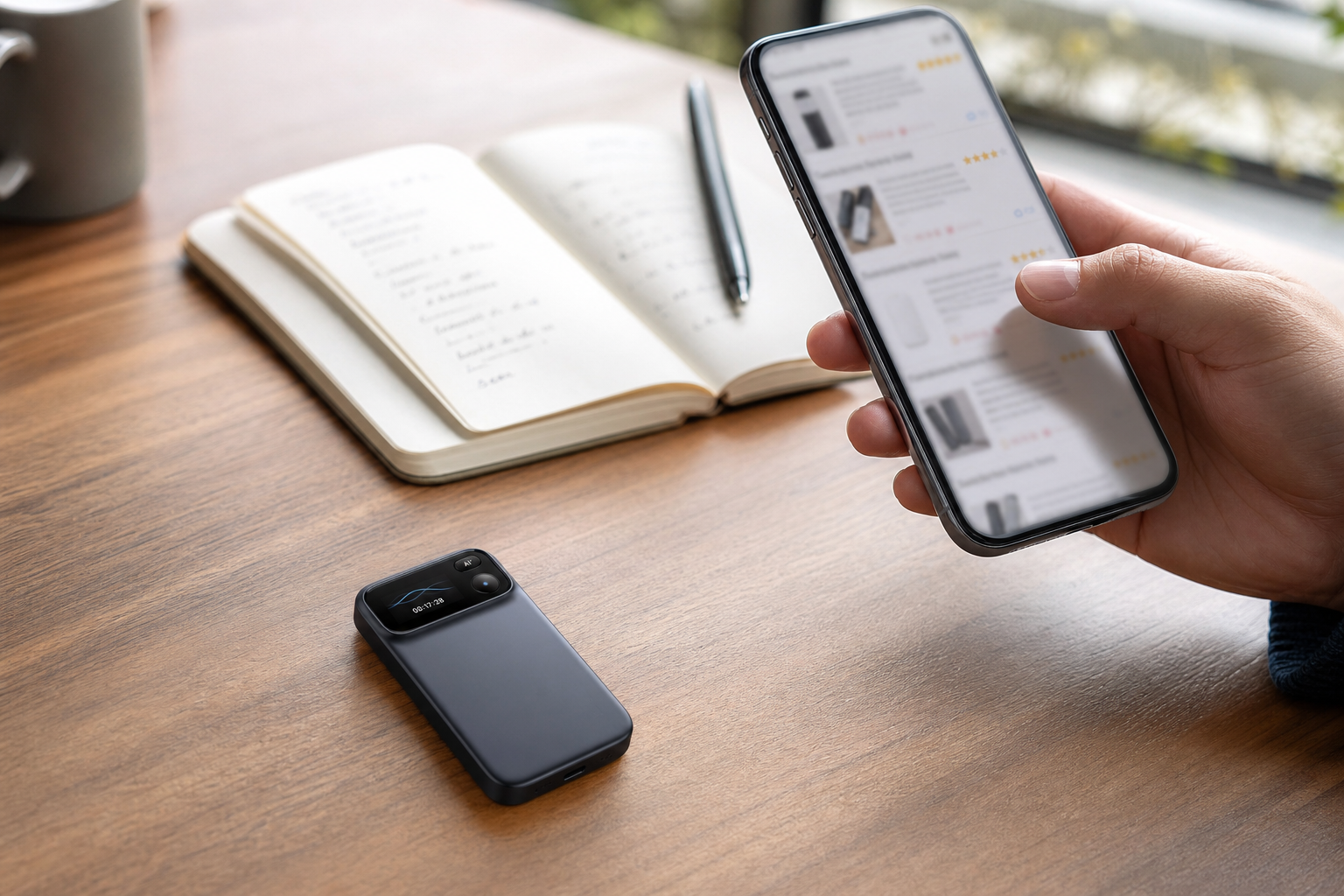
Comu lists transcription in 113 languages, synchronized transcript highlighting, and one-touch recording. Action Pro can also turn conversations into editable emails, action items, structured notes, documents, and presentation drafts. Feature availability may vary by language, software version, and plan. Comu states that its data practices are designed to align with GDPR, HIPAA, and SOC 2 requirements.
Readers in regulated industries should review Comu's current security documentation and confirm whether the service meets their organization's specific compliance requirements. In a month-long review of Comulytic Note Pro, 9to5Mac described the transcription as generally reliable but found speaker recognition less consistent on the test unit. Speaker identification remains a common challenge for AI transcription tools, especially in multi-speaker environments, so users should test it with their own meeting setup.
On the App Store reviews page for the Comu AI app, listed on the current product page, one reviewer describes a three-hour multi-speaker lecture transcribed with accurate labeling and a clean Google Docs export, and another review of the same app dissents, The app doesn't actually ever fully transcribes. It just offers a summary. if you're looking for 1:1 transcription this isn't it. The reviews show that results can vary by recording conditions and workflow. Treat transcripts and generated outputs as drafts, and review them before sharing or relying on them.
How to Choose by Use Case
The best pick depends on your use case: online meetings, phone-only habits, technical control, and offline conversations with follow-up needs each point to a different category, and regulated industries have their own route.
AI note taker picks follow the use case: online meetings, iPhone-only habits, technical control, or offline conversations needing follow-up output. An online-first team with budget should look at subscription meeting software and compare their recurring cost and usage limits. An iPhone-only light user can stay with the phone's built-in features at no cost. A technical team can choose open-source or a cloud API and budget the maintenance.
Someone who records offline conversations and needs follow-up output gets the best fit from dedicated hardware with an app, the Comu Action Pro's strongest use case. For ecosystem context, Layer3labs ranks the recording-hardware comparison with Plaud at one, Pocket at two, and the Note Pro at twelve, calling the flagship higher price and a real subscription and the challenger a credible budget alternative, a hardware-oriented list cited with that scope difference stated.
Regulated finance has its own route entirely, compliance recording suites built for Teams, named here without figures. The full comparison is mapped in the Plaud alternatives hub.
Does recording a meeting require consent?
Yes, by meeting rules and local law rather than by any vendor's policy. Tell participants before capture and follow company information-management rules, in every category.
What is the honest state of speaker separation and one-to-one transcripts?
Industry-wide and mixed. The month-long review found recognition less than fully reliable while conceding it challenges most services, and the store dissent warns of summary-first behavior, so run one test meeting before deciding.
How is the free-versus-paid boundary verified?
By function and in the app, the documented method. The free Starter plan includes unlimited real-time AI transcription and basic summaries after the one-time device purchase, Premium and Elite are optional upgrades for advanced AI workflows, and no third party can guarantee a cloud policy's future.
There is no single best AI note taker for every user. Match your use case to the category, grade the candidates on the published five criteria, and test the shortlist on your own meeting calendar.
