
AI recording, reconsidered
Bee vs. Comu Action Pro: Are You Buying Memory or Work?
Bee Frontier and Bee Eclipse make AI memory cheaper and more ambient. Comu Action Pro makes conversation capture more deliberate and more operational. The products appear on the same shelf, but they are not interchangeable versions of the same idea.
The useful comparison is not “which device has more features?” It is “what should the recording become?” A personal memory, a searchable recap, and a client-ready action plan are three different outcomes. The device that is best for one can be the wrong device for another.
The decision in one sentence
Choose Bee for remembering more of your day; choose Comu Action Pro for turning meetings, interviews, and calls into clear, reviewable next steps.
First, separate the Bee products
Before comparing Bee with Action Pro, it helps to separate the Bee family into hardware and software:
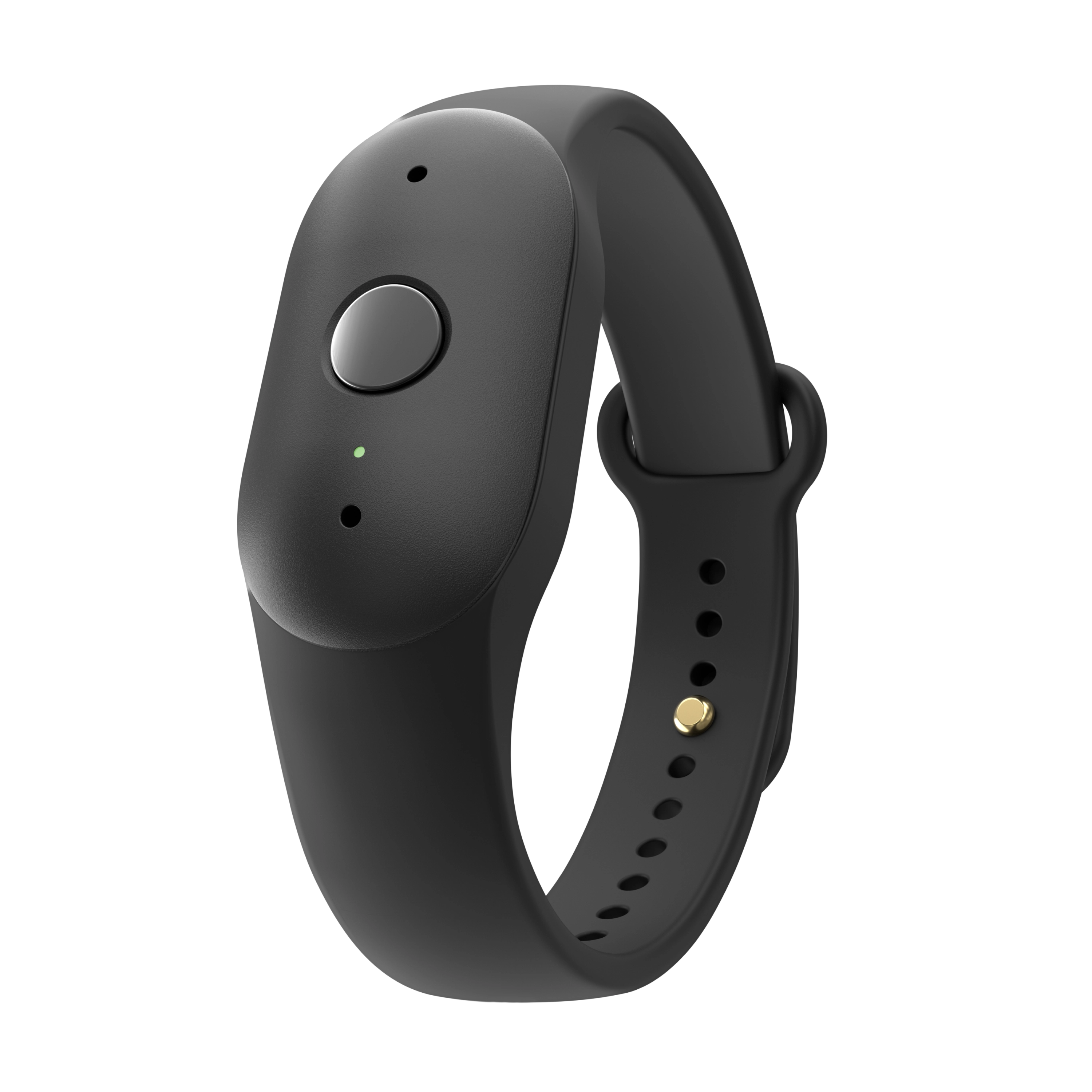
- Bee Frontier: the wearable option, available as a wristband or clothing clip.
- Frontier hardware: one-button capture, recording indicator, IP67 water and dust resistance, dual microphones, noise filtering, support for 40+ languages, and a published 7+ day usage claim.
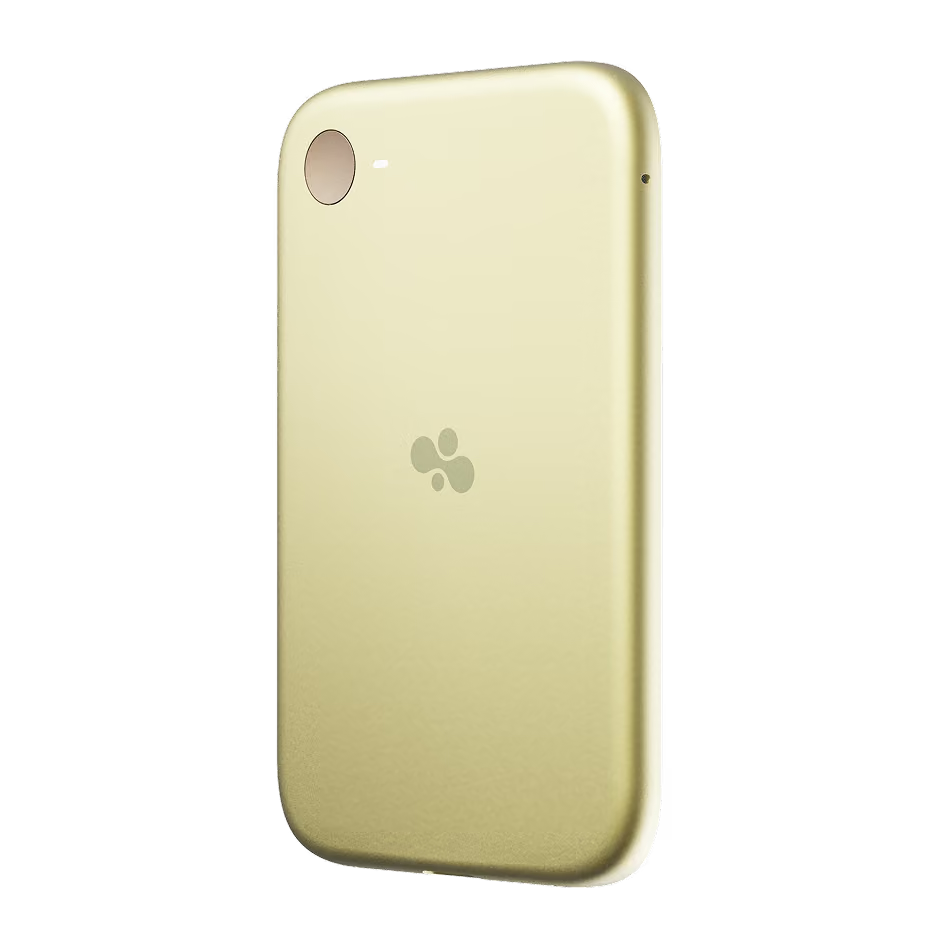
- Bee Eclipse: a separate, thinner magnetic phone device designed for nearby conversations and supported two-sided phone calls.
- Eclipse boundary: its availability and call behavior should be evaluated independently; Eclipse claims should not automatically be applied to Frontier.
- Bee software: Basic and Pro are plan levels, not different hardware products. Basic focuses on summaries, recaps, and short-term memory, while Pro adds longer history, desktop access, actions, and integrations.


Basic and Pro are software access levels. Public product information lists Basic around summaries, recaps, and a 14-day history window. Pro is listed at $11.99 per month or $99.99 per year, with longer history and broader actions and integrations. Do not transfer Eclipse call claims to Frontier, or older Pioneer reviews to either current product.
- Product form: Frontier is the wearable or clip-on ambient recorder; Eclipse is the 4.6 mm magnetic phone device.
- Software level: Basic provides summaries, recaps, and short-term memory; Pro adds longer history, desktop access, actions, and integrations.
- Price boundary: Frontier is listed at $74.99, Eclipse at $99.99, and Bee Pro at $11.99/month or $99.99/year.
- Important boundary: Eclipse phone-call claims do not automatically apply to Frontier, and older Pioneer reviews should not be used as current Frontier specifications.
The work-oriented comparison
| Comparison dimension | Comu Action Pro | Bee Frontier | Bee Eclipse |
|---|---|---|---|
| Product job |
|
|
|
| Capture and signal |
|
|
|
| Hardware and endurance |
|
|
|
| Outputs |
|
|
|
| Workflow access |
|
|
|
| Listed launch price |
|
|
|
Product job
- Comu Action Pro: optimizes capture quality and the handoff from conversation to work.
- Bee Frontier: optimizes always-available personal memory.
- Bee Eclipse: optimizes phone-attached ambient memory and supported call context.
Capture start and social signal
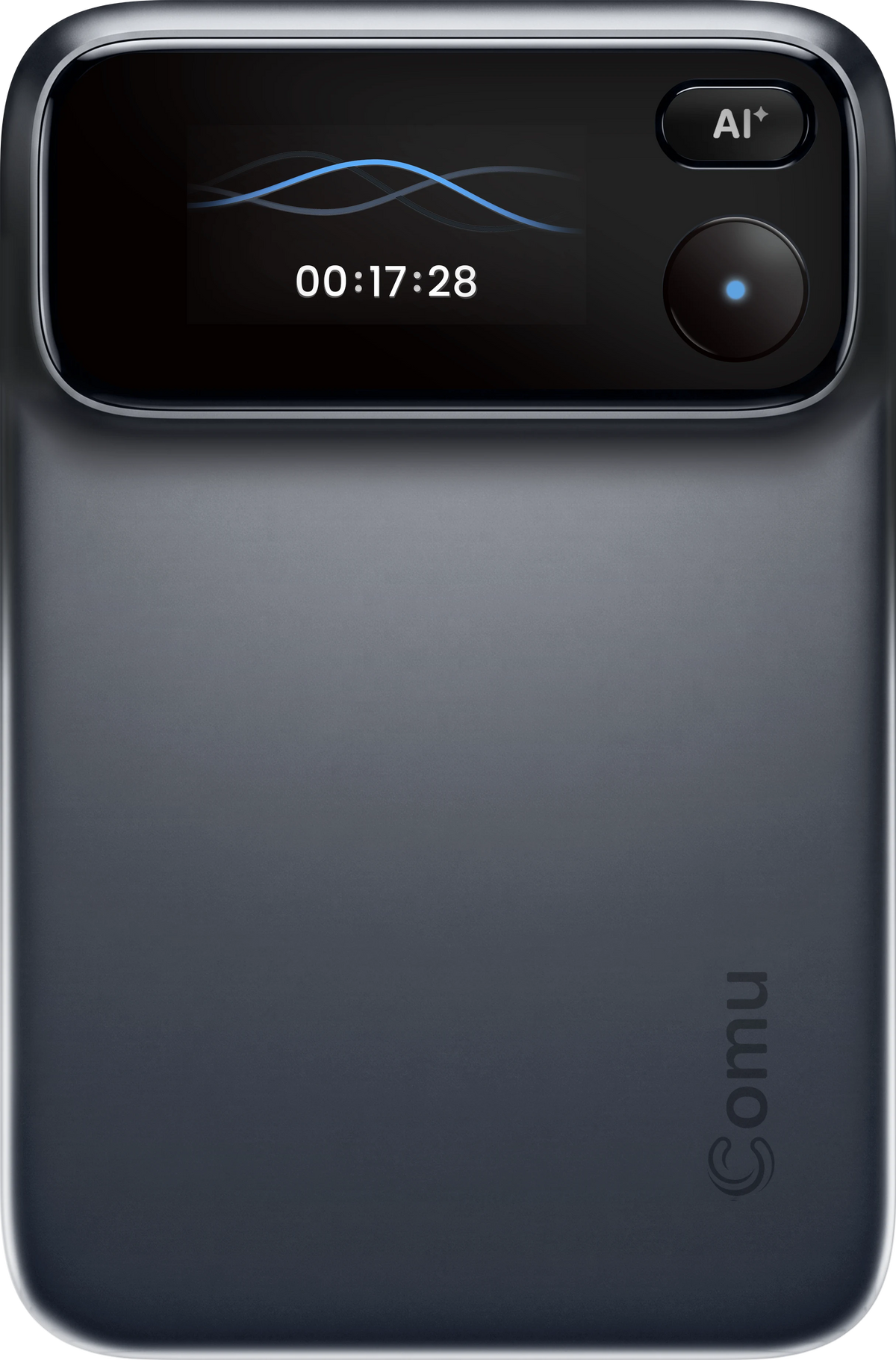
- Comu Action Pro: press to record a defined session; OLED makes the device state visible.
- Bee Frontier: button-on ambient capture with listening indicator, Voice Notes, and bookmarks.
- Bee Eclipse: button-on phone capture with LED; call recording requires activation and participant permission.
Hardware and endurance
- Comu Action Pro: six-microphone adaptive array, AI noise reduction, up to 7 m pickup, 1,000 mAh, and up to 70 hours of continuous recording.
- Bee Frontier: dual microphones, noise filtering, IP67, and 7+ days of estimated usage.
- Bee Eclipse: 4.6 mm phone card and roughly three weeks of estimated usage. This is not the same metric as continuous recording hours.
Outputs after capture
- Comu Action Pro: real-time transcription, summaries, speaker identification, insights, action lists, emails, documents, slides, and CRM-ready notes.
- Bee Frontier: summaries, recaps, searchable memories, Daily Insights, suggested to-dos, Voice Notes, and Actions.
- Bee Eclipse: the Bee software experience plus phone-oriented context when supported.
Where the workflow continues
- Comu Action Pro: iOS, Android, Windows, macOS, and web on Starter.
- Bee Frontier: mobile and desktop experience, with broader access tied to Bee plans.
- Bee Eclipse: the same Bee software family as Frontier.
Launch price
- Comu Action Pro: $179.99.
- Bee Frontier: $74.99.
- Bee Eclipse: $99.99.
Capture style changes the experience
Bee is strongest when recording should feel almost incidental
Frontier's wristband or clothing clip makes the first ten seconds easy. A button starts listening, a green indicator communicates state, a long press creates a Voice Note, and a double press bookmarks a moment. That is persuasive when the alternative is not recording at all: an idea while walking, a promise made in a hallway, or a detail you will need later.
The same ambient design creates a social obligation. A wearable can remain on a body while other people are nearby. An indicator light helps, but it is not consent. In a shared room, “easy to leave on” is a feature only when everyone understands what is happening.
Action Pro is strongest when the meeting itself is the unit of work
Action Pro makes recording a declared event. Place it near the conversation, press the button, and stop when the session ends. The six-microphone adaptive array is designed for multiple voices and room conditions, while playback-synced transcripts and speaker identification make review less dependent on memory.

That deliberate pattern is not as invisible as a wearable. It is more legible to a client, teammate, or patient, and it creates a cleaner boundary around the record you are about to share. For formal notes, that boundary often matters more than the smallest body or longest calendar estimate.
Bee reduces the friction of remembering. Action Pro reduces the friction of making a conversation accountable.
The software bill is the real comparison
Hardware price is where Bee looks immediately attractive: $74.99 for Frontier and $99.99 for Eclipse versus the listed $179.99 Action Pro launch price. But the first-year decision is really hardware plus history plus the outputs you will use.
| Same cost dimension | Bee Frontier + Basic | Bee Eclipse + Basic | Comu Action Pro + Starter |
|---|---|---|---|
| Hardware |
|
|
|
| History and core output |
|
|
|
| Upgrade path |
|
|
|
Comu's optional Premium and Elite plans add advanced analysis and Agent Credits. The key distinction is that Starter is not a timed memory demo: the core transcription and basic-summary workflow remains available without a paid subscription. Bee Pro may be the right value for someone who wants a personal assistant and integrations; Action Pro is the stronger value for meeting-heavy users who want a durable record, broad device access, and work outputs without paying to keep basic transcripts usable.
Privacy, consent, and review
These devices are not only productivity tools. They are microphones that can create records about other people. A responsible comparison must ask three separate questions.
- Can people tell when capture is active? Action Pro's press-to-record session boundary and OLED state are easy to explain. Bee's indicator light communicates state, but ambient capture still requires active disclosure.
- What is retained? Bee describes Private Compute processing, deletion of raw audio, encrypted transcripts, and user-controlled deletion. Comu stores recordings and offers a local-only option by turning off cloud backup. These are different architectures, not interchangeable claims.
- Can the result be corrected? For names, dates, owners, and commitments, return to the source audio, edit the AI output, and only then share it. No device turns an unreviewed transcript into an authoritative record.
For legal, medical, financial, or HR conversations, apply the stricter rule: announce the recording, follow local consent law and organizational policy, minimize connected integrations, and verify deletion and export behavior before using the device with sensitive material.
Who should buy what?
Buy Bee Frontier for an ambient personal timeline. Consider Bee Eclipse for a thin phone-centered setup and supported call capture. Buy Comu Action Pro when the recording must survive review and become work.
- Bee Frontier: best for everyday recall, low-friction wearable capture, reminders, and users who value the lowest hardware price.
- Bee Eclipse: best for people who want a magnetic phone form and the specific call workflow documented for Eclipse; do not assume those claims apply to Frontier.
- Comu Action Pro: best for multi-speaker meetings, interviews, lectures, noisy rooms, multilingual work, and follow-up that must become an email, document, slide draft, task list, or CRM note.
There is no universal winner because there is no universal recording job. Bee is a compelling answer to “What did I forget today?” Action Pro is a compelling answer to “What did we decide, who owns it, and what do I send next?” Choose the question you need the device to answer every week.
Sources consulted: Dataconomy's Bee Frontier and Eclipse report, Comu's Bee AI review, and Comu vs. Bee comparison, plus the current product and plan pages. Prices, availability, usage estimates, and plan limits are time-sensitive; verify the live checkout terms before purchase.
See Comu Action Pro and test the workflow with your longest meeting, noisiest room, and most important follow-up.
